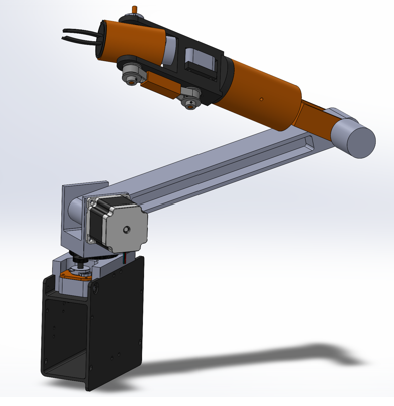
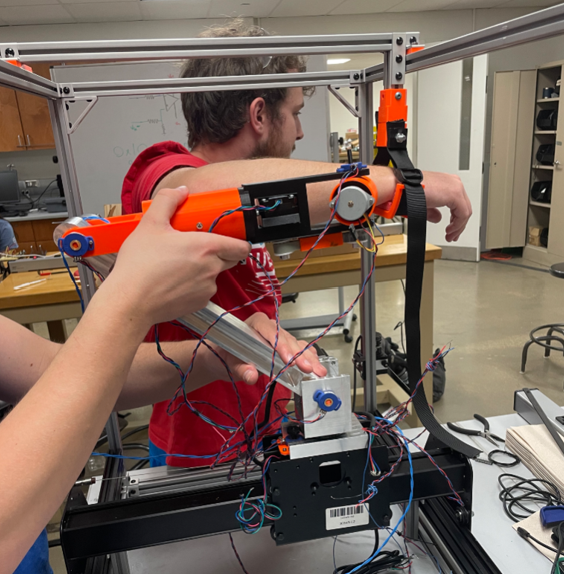
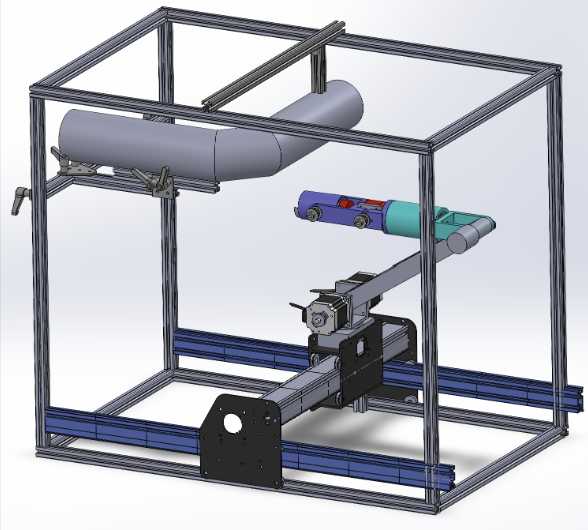
clc; clear all; close all;

% Setup Arduino connections
a = arduino('COM9', 'Uno');
b = arduino('COM12', 'Uno');

% Initialize standard transformation matrices
syms theta X_pos Y_pos

Xrot = [1 0 0; 0 cos(theta) -sin(theta); 0 sin(theta) cos(theta)];
Yrot = [cos(theta) 0 sin(theta); 0 1 0; -sin(theta) 0 cos(theta)];
Zrot = [cos(theta) -sin(theta) 0; sin(theta) cos(theta) 0; 0 0 1];
Linear = [X_pos 0 0; 0 Y_pos 0; 0 0 0];

% Initialize system with 6 theta values and constant vectors
syms theta1 theta2 theta3 theta4 theta5 theta6

x0 = 0; y0 = 0; z0 = 0;
counter = 1;
time = 200;

% Preallocate
theta1 = zeros(200,1); theta2 = zeros(200,1); theta3 = zeros(200,1);
theta4 = zeros(200,1); theta5 = zeros(200,1); theta6 = zeros(200,1);
X_plane = zeros(200,1); theta8 = zeros(200,1);
x = zeros(200,1); y = zeros(200,1); z = zeros(200,1);

% Initial calibration
T1 = readVoltage(a, 'A0') * 1.2566;
T2 = readVoltage(a, 'A1') * 1.2566;
T3 = readVoltage(a, 'A2') * 1.2566;
T4 = readVoltage(a, 'A3') * 1.2566;
T5 = readVoltage(a, 'A4') * 1.2566;
T6 = readVoltage(a, 'A5') * 1.2566;

% Link dimensions
z1 = 6; x2 = 33; z3 = 17.5; x3 = 14; z4 = 13;
x4 = 10; z5 = 10; x5 = 8; z6 = 4;

while time > 0
    % Read voltage data and convert to degrees
    theta1(counter) = -readVoltage(a, 'A0') / 3.333 * 1.2566 - T1;
    theta2(counter) = readVoltage(a, 'A1') * 1.2566 - T2;
    theta3(counter) = readVoltage(a, 'A2') * 1.2566 - T3;
    theta4(counter) = readVoltage(a, 'A3') * 1.2566 - T4;
    theta5(counter) = readVoltage(a, 'A4') * 1.2566 - T5;
    theta6(counter) = readVoltage(a, 'A5') * 1.2566 - T6;

    X_plane(counter) = (readVoltage(b, 'A0') - 0.25) * (32.5 / 2); % cm
    % theta8(counter) = readVoltage(b, 'A1') * 1.2566;

    % Create transform matrices for each joint
    Linear = [X_plane(counter) 0 0; 0 0 0; 0 0 0];
    time = time - 1;

    H1 = [subs(Zrot, theta, theta1(counter)), [0;0;0]; 0 0 0 1];
    H2 = [subs(Yrot, theta, theta2(counter)), [0;0;z1]; 0 0 0 1];
    H3 = [subs(Yrot, theta, theta3(counter)), [x2;0;0]; 0 0 0 1];
    H4 = [subs(Zrot, theta, theta4(counter)), [0;0;z3]; 0 0 0 1];
    H5 = [subs(Yrot, theta, theta5(counter)), [x4;0;z4]; 0 0 0 1];
    H6 = [subs(Yrot, theta, theta6(counter)), [0;0;z5]; 0 0 0 1];
    H7 = [eye(3), [0;0;z6]; 0 0 0 1];

    % Get joint positions
    M1 = H1*H2;
    X1 = M1(1,4); Y1 = M1(2,4); Z1 = M1(3,4);

    M2 = M1*H3;
    X2 = M2(1,4); Y2 = M2(2,4); Z2 = M2(3,4);

    M3 = M2*H4;
    X3 = M3(1,4); Y3 = M3(2,4); Z3 = M3(3,4);

    M4 = M3*H5;
    X4 = M4(1,4); Y4 = M4(2,4); Z4 = M4(3,4);

    M5 = M4*H6;
    X5 = M5(1,4); Y5 = M5(2,4); Z5 = M5(3,4);

    M6 = M5*H7;
    X6 = M6(1,4); Y6 = M6(2,4); Z6 = M6(3,4);

    FK = H1*H2*H3*H4*H5*H6*H7;
    x(counter) = FK(1,4);
    y(counter) = FK(2,4);
    z(counter) = FK(3,4);

    % Plot
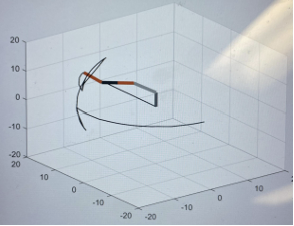
    p = plot3([x0 X1], [y0 Y1], [z0 Z1], ...
              [X1 X2], [Y1 Y2], [Z1 Z2], ...
              [X2 X3], [Y2 Y3], [Z2 Z3], ...
              [X3 X4], [Y3 Y4], [Z3 Z4], ...
              [X4 X5], [Y4 Y5], [Z4 Z5], ...
              [X5 X6], [Y5 Y6], [Z5 Z6], ...
              [x0 x(counter)], [y0 y(counter)], [z0 z(counter)]);

    p(1).Color = [128 128 128]/255;
    p(2).Color = [0.7 0.7 0.7];
    p(3).Color = [0.91 0.41 0.17];
    p(4).Color = [0.2 0.2 0.2];
    p(5).Color = [0.91 0.41 0.17];
    p(6).Color = [0.2 0.2 0.2];
    p(7).LineWidth = 1;
    p(7).Color = 'black';

    xlim([-70 70]);
    ylim([-70 70]);
    zlim([-10 70]);
    grid on;
    drawnow();
    pause(0.05);

    counter = counter + 1;
end